News › Back in Stock
Back-in-Stock SMS on Shopify: Text Shoppers When It Returns
What is back-in-stock SMS on Shopify?
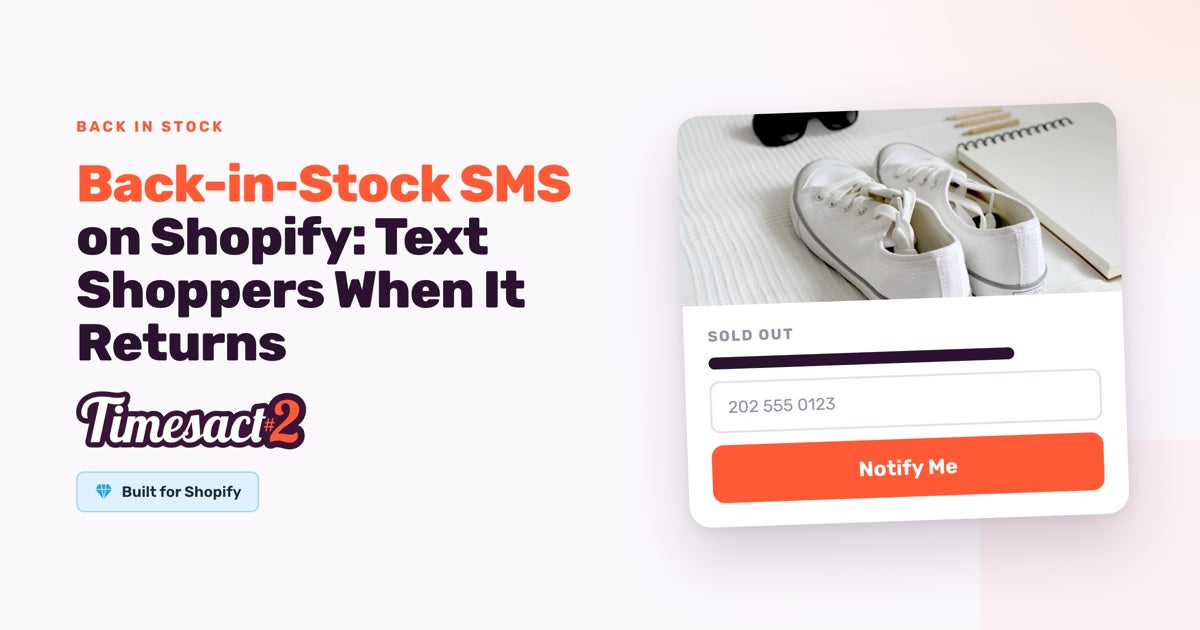
Back-in-stock SMS on Shopify texts a shopper once the sold-out variant they signed up for is back in stock. In Timesact, that text is a short plain-text message with the product name and a link to the product. You write and publish it, switch on a phone number field in your Notify Me form, and your back-in-stock email keeps running for everyone who signs up by email.
The real question is which products are worth restock alerts by text. We'll start there, then write the message and add the phone field.
Which shoppers should get a text instead of an email?
Offer a text where speed matters more than room for branding. Email fits better when the restock needs your logo and a longer note.
| Back-in-stock email | Back-in-stock SMS | |
|---|---|---|
| What the shopper enters | Email address | Phone number |
| What they receive | An email with your logo, the product name and a Shop now button to the product | A plain-text message with the product name and a link to the product |
| Where it fits | Restocks that need your branding and a longer note | Fast sellers, limited runs, products shoppers browse on their phones |
| What it costs | Email sending is unlimited on every plan | Charged per text sent, by destination country, from $0.02 for US and Canadian numbers |
Decide product by product:
- Weigh the rate against the order value. The US and Canadian rate is small next to almost any order. Rates are higher in some countries, so for a low-priced item with many shoppers abroad, email carries the alert without a per-message cost.
- Keep email in the mix. An email address stays useful after the restock, and back-in-stock sign-ups are a steady way of growing your email list.
- Set it per experience. SMS signup is switched on per Back in Stock experience, the group of settings you assign to products. That lets you offer texts on your fast-selling products and keep the rest on email.
What does a back-in-stock text cost?
Each back-in-stock SMS Shopify merchants send through Timesact costs from $0.02 for a US or Canadian number, charged per message and only once it's successfully sent. Rates vary by destination country, up to $1.09 for Indonesia, and the app shows the range before you publish. It shows up as a usage charge on your Timesact plan, on the same Shopify bill as your subscription. Timesact sends the texts itself, so there's no SMS provider to connect.
SMS is available on the Flexible and Fixed plans with monthly billing.
Each phone sign-up gets a single text for the variant the shopper chose. Your spend for a restock is roughly the number of phone sign-ups for that variant times the rate for their country. Emojis, accented letters and non-Latin alphabets all work. A carrier may deliver such a text in more than one part, and Timesact still bills the single per-message rate shown in the app.
What should a back-in-stock text say?
A back-in-stock text should say which store it's from, which product is back and where to buy it, in one or two lines: your store name, {{productTitle}} and {{productLink}}. You write it once, as the Notify Me SMS on the Notifications page, and it goes to every shopper who signs up by phone.
Two examples that use only the available variables:
- A regular restock: "[Your store]: {{productTitle}} is back in stock. Shop it here: {{productLink}}"
- A limited run: "[Your store]: {{productTitle}} is back in a small batch. Shop now: {{productLink}}"
The Notify Me SMS stays a Draft until you publish it, so publishing it is part of setup:
- Open Notifications and select Notify Me SMS, under Notify Me notifications.
- Write the SMS body in plain text. Type the smart variables exactly as shown:
{{productTitle}}inserts the product name and{{productLink}}inserts a link to the product. - Read it through in the SMS preview.
- Click Publish. The app shows the per-message rates first. Confirm with Got it, and the text is Live.
How do you add a phone number field to the Notify Me form?
Turn on SMS signup in your Back in Stock experience, and your back-in-stock Notify Me form gets a phone number field, so shoppers can sign up for a text right on the product page.
- In the Timesact app, open Experiences and open the Back in Stock experience assigned to your products. If you're starting fresh, create one and assign it to products from the Products page.
- On the Product page tab, open the Notify Me form section and switch on SMS signup.
- Fill in the four text fields shoppers see: SMS field label, Phone placeholder, SMS consent text and Phone error message (shown when a number isn't valid).
- If shoppers also sign up from your collection pages, switch on SMS signup under the Collection page tab as well.
- Click Save.
- Enable the Timesact App Embed as part of setup. In Shopify, go to Online Store → Themes → Customize → App embeds on the theme you publish, switch on the Timesact embed and click Save.
The Notify Me button, the form and its phone field then show on that theme. With the Notify Me SMS already published, every shopper who signs up by phone is set to get their text.
For the placeholder, note that the default Phone error message asks for an international number with + and the country code. A placeholder such as +1 202 555 0123 shows shoppers that format before they type.
The SMS consent text sits in the form with the phone field. Timesact's default wording tells shoppers that:
- they'll receive a one-time automated text, sent by Timesact, when the item is back in stock
- message and data rates may apply
- they can reply STOP to opt out
You can adjust the wording to suit your store and markets. Keep the parts that tell shoppers who sends the text and how to opt out.
When does the text go out?
The text goes out automatically once the variant a shopper signed up for is back in stock and the Notify Me SMS is Live. Sign-ups are stored per variant, so a shopper waiting on one size hears about that size.
To wait for a real restock rather than a single returned unit, set a Quantity threshold in your Back in Stock experience. With 10 as the Minimum units in stock, alerts go out once you have 10 or more units in Shopify.
The experience also shows the text's status from the product side. Its Notifications section has an SMS notifications card that says whether the text is live, with a Manage SMS notification link to edit it. That card is separate from the notification channel you pick in the same section (Built-in notifications, Shopify Flow or Klaviyo), and the text keeps sending whichever channel you choose.
Can you send back-in-stock texts through Klaviyo?
Yes, if your texting already runs through Klaviyo. Connect Klaviyo under Billing & Account → Integrations, then set the channel in your Back in Stock experience's Notifications section to Klaviyo and click Save. Timesact then sends a Timesact - Back in Stock Ready event to Klaviyo once per subscriber, when their alert is ready to send. Add a text step to a Klaviyo flow built on that event.
Klaviyo sends that text to shoppers whose Klaviyo profile already has a phone number and SMS consent. Each experience uses one notification channel, so your restock emails run from Klaviyo too. The Notify Me SMS keeps texting the shoppers who signed up by phone on your Notify Me form.
Text your waitlist on the next restock
Start with one fast-selling product. Publish a two-line text, switch on SMS signup in the Notify Me form of its Back in Stock experience, and see how shoppers respond on the next restock. Then extend it to the rest of your catalog.
FAQs
Can shoppers sign up for back-in-stock alerts by text on Shopify?
Yes. Switch on SMS signup in the Notify Me form of your Timesact Back in Stock experience, and a phone number field appears on your product pages. Publish the Notify Me SMS on the Notifications page, and shoppers who sign up by phone get a text when the variant is back in stock.
How much does a back-in-stock text cost on Shopify?
A back-in-stock text sent through Timesact costs from $0.02 for US and Canadian numbers, with rates that vary by destination country. Each text is billed through Shopify as a usage charge, and only after it's successfully sent.
When does the back-in-stock text go out?
The text goes out automatically once the variant a shopper signed up for is back in stock and the Notify Me SMS is Live. If you set a Quantity threshold in the Back in Stock experience, alerts wait until you have at least that many units in Shopify.
Which variables can I use in a back-in-stock text?
Two smart variables work in a back-in-stock text: {{productTitle}} for the product name and {{productLink}} for a link to the product. Type them exactly as shown in the SMS body, and read the result in the SMS preview before you publish.
Do shoppers have to opt in to back-in-stock texts?
Yes. With SMS signup on, the Notify Me form shows your SMS consent text with the phone field, and shoppers agree to it when they sign up with their number. Timesact's default wording says they'll receive a one-time automated text, sent by Timesact, when the item is back in stock, that message and data rates may apply, and that they can reply STOP to opt out. You can adjust the wording to suit your store while keeping who sends the text and how to opt out.
Run this in Timesact
Pre-order, back-in-stock, coming-soon and more — one app, no code.
Install the app →