News › Payments
Shopify Preorder Deposits: When the Balance Gets Charged
Can you take a deposit on a Shopify preorder and charge the balance later?
Yes. A Timesact preorder can split the product price into an amount charged at checkout and a remaining balance charged later: on a date you choose, a set time after checkout or, on the PRO plan, when you fulfill the order. The customer pays the deposit now, Shopify securely stores their payment method, and the balance is charged automatically on the timing you set in your Customer Experience.
That split is what most merchants mean when they ask about partial payments on preorders. It is one setting with two halves, and almost every question that follows — when the money lands, how to move the date, what to do when you ship early — is really a question about the second half. This article follows the money through time, from checkout to collection.
The three shapes a preorder charge can take
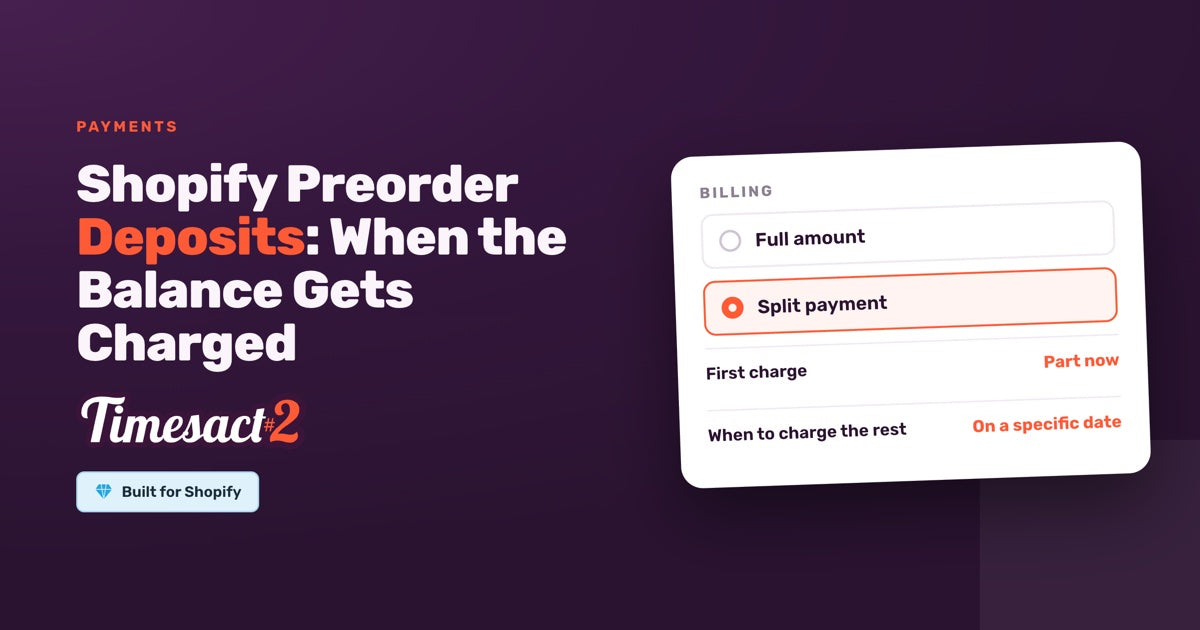
The Billing setting in the Customer Experience assigned to the product is where charge timing lives, and it offers two options: Full amount or Split payment. Split payment divides into a First charge — an amount or a percentage taken at checkout — and the rest, the balance taken later on the timing you choose under When to charge the rest. Between them they produce three shapes:
| Shape | Upfront | Balance |
|---|---|---|
| Charge in full at checkout | 100% | — |
| Nothing now, everything later | 0% | Full amount on the final payment date |
| Deposit now, balance later | e.g. 25% | Remainder on the final payment date |
The middle row surprises people. Setting the upfront amount to 0% is a complete, supported setup: the shopper finishes checkout without being charged, and The whole amount is charged automatically on the date you set. Shopify still asks for payment details at that checkout, because it needs to store the method so the balance can be collected when it comes due — that is Shopify holding the card, not charging it.
Pre-orders that use Shopify's purchase option run through Shopify Payments and PayPal Express. Shopify Payments covers every setup, including automatic collection of a later balance; PayPal Express can take a full payment upfront. Shopify stores the customer's payment method at checkout, so the balance is collected without contacting them.
How do you set the final payment date?
The final payment date lives in the same Billing setting as the first charge, in the Customer Experience assigned to the product. Under When to charge the rest, choose On a specific date and enter the Date to charge the rest, and the remaining balance is charged automatically on that date. The same setting also offers A set time after checkout and, on the PRO plan, When you fulfill the order.
Two dates commonly get tangled here, so it is worth separating them cleanly. The final payment date is when the balance is collected. The preorder end date is when the campaign closes on your storefront. They are independent settings and they answer different questions. A campaign that opens in August, closes when your stock lands on 15 October, and charges the balance the same day is configured as an end date of 15 October and a final payment date of 15 October — two settings that happen to share a value.
Dates follow the time zone set in Billing & Account → Store settings → Time zone. Worth a glance when you are lining a collection date up against a dispatch day.
Where the customer sees your deposit terms
Three separate fields carry the payment story to the shopper, and each renders in its own place:
- The Split payment options appear on the product page, and the Description field is the text shown under them. This is where a line like "Pay a deposit now, the rest when it ships" belongs.
- The Message is the commitment message on the product page, below or above the preorder button. This is where a sentence like "Ships 15 October. 25% is charged today, the balance on 15 October" belongs.
- The Cart label is the field that travels into the cart. With a deposit you're on Shopify's purchase option, so it's a single Pre-order label that shows on the cart line and at checkout. Something like "Pre-order, ships 15 October" marks the item there.
The Customer Experience also owns the rest of the storefront furniture: the preorder button text and the badge. Between them, a customer who is about to pay a deposit can see what they are paying now and what is coming.
At checkout Shopify shows the breakdown itself — the amount due today and the remaining balance scheduled for collection later — so the terms are in front of the customer at the moment they commit.
Getting the preorder live in the first place
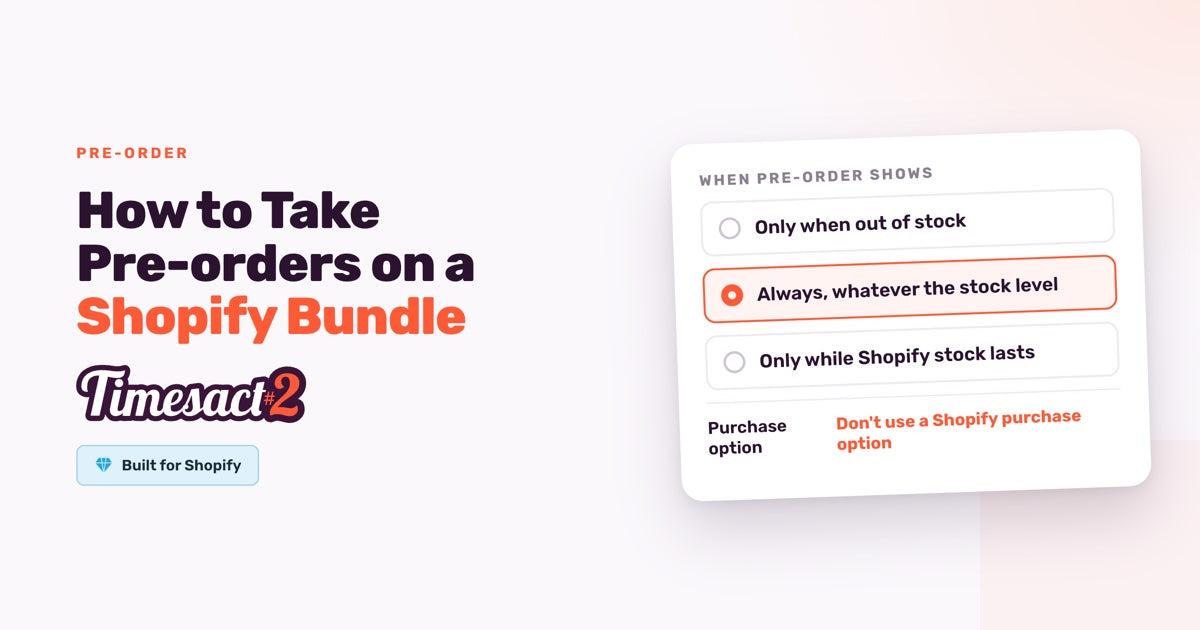
The payment split only does its job once the preorder itself is running, and in Timesact that all comes together in one Customer Experience. It holds the customer-facing copy, the Billing setting you just configured, and, under Functionality settings, the When Pre-order shows rule that decides when preorder turns on — Only when out of stock, Always, whatever the stock level, or Only while Shopify stock lasts. Assign that Customer Experience to the products or variants you are taking deposits on.
Then enable the Timesact App Embed on the theme you are publishing, under Online Store → Themes → Customize → App Embeds, and click Save in the theme editor — the embed takes effect once the theme is saved. The embed is set per theme, so enable it on the theme your storefront is actually running.
What happens when the final payment date arrives
The balance is charged automatically on the date you set, to the payment method Shopify stored at checkout, so the customer doesn't have to come back and pay. If you chose When you fulfill the order on the PRO plan, the balance is charged once the order is fulfilled instead.
Because Shopify stores the payment method for as long as a balance remains on the order, the date is not bound to a short authorization window. Merchants routinely set collection weeks or months out, which is what makes a long production lead time workable.
Your controls in Shopify Orders
Everything after checkout happens in Shopify Orders, and you have more control there than the scheduled date suggests.
Collect the balance early. If the goods are ready ahead of schedule, open the order and use Collect payment to take the remaining amount whenever you like. This is the mechanism behind a pattern a lot of merchants use deliberately: set the final payment date generously far out — six months, a year — and then collect on your own timing as each batch actually ships. The scheduled date becomes a backstop rather than a deadline.
Send the customer a payment link. Send invoice emails the customer a secure link to pay the balance themselves, which is useful when you would rather they complete it at their own pace.
Check where an individual order stands. Each order shows the amount paid and any outstanding balance. Balances are tracked per order inside Shopify, so reviewing outstanding deposits means looking at the relevant partially-paid orders in Shopify.
Revenue reporting on all of this — how deposits and balances show up across a period — comes from Shopify Analytics and any analytics tools you already run, which is where the numbers live.
What the split covers, and what it doesn't
The partial-payment split applies to the product price. Shipping is calculated and collected by Shopify through your own shipping configuration rather than being divided across the two payments.
The split is also a straight division of the price: a deposit is a portion of what is owed, not a credit worth more than it costs. A $99 deposit counts as $99 toward the total.
Downstream, every Online Store order containing a preorder item is tagged Pre-order, and an order that mixes preorder and in-stock items also carries Partial Pre-order, so mixed orders arrive with both. Worth knowing while you are working on deposits: Partial Pre-order describes a mixed cart, not a partial payment. The order tags are how your other systems recognise these orders, and they mean what they say about the cart's contents rather than its payment schedule.
Decide your collection date before the next drop
A deposit preorder is two decisions, and both are worth making on purpose: how much you take at checkout, and when the balance comes due. Set the upfront share to something that reflects the commitment you are asking for, put the final payment date beyond the ship date you are confident about, and let Collect payment bring it forward when a batch is ready early. Your customer sees the split at checkout, you see the outstanding balance on the order, and the money arrives on a schedule you chose rather than one you inherited.
FAQs
When is the balance charged on a Shopify preorder deposit?
You can charge a deposit at checkout and the balance on a specific future date you set. Under When to charge the rest you can also charge it A set time after checkout or, on the PRO plan, When you fulfill the order. With When you fulfill the order, the balance is collected once the whole order is fulfilled — so if you ship an order in parts, it's taken when the last item goes out. If you charge on a date, the way to align collection with shipping is to set that date beyond the ship date you are confident about, then use Collect payment in Shopify Orders to take the balance when the batch actually goes out.
How do I change the final payment date on a preorder?
The final payment date is the Date to charge the rest, in the Billing setting of the Customer Experience assigned to the product, so you change it there. For any individual order, you can also take the balance earlier from the order in Shopify with Collect payment or Send invoice.
Can I see all outstanding preorder deposit balances in one view?
Outstanding balances are held on the individual orders inside Shopify. To review what is outstanding, open the relevant partially-paid orders in Shopify, where each one shows the amount paid and the balance remaining.
Which payment methods work with preorder deposits?
Pre-orders that use Shopify's purchase option run through Shopify Payments and PayPal Express. Shopify Payments covers every setup, including automatic collection of a later balance; PayPal Express can take a full payment upfront. Shopify stores the customer's payment method at checkout, so the balance is collected without contacting them.
Does the deposit include shipping, or is shipping charged separately?
The partial-payment split applies to the product price. Shipping is calculated and collected by Shopify according to your own shipping settings and Shopify's checkout behaviour, rather than being divided between the deposit and the balance.
Run this in Timesact
Pre-order, back-in-stock, coming-soon and more — one app, no code.
Install the app →