News › Launches
Vinyl and Band-Merch Pre-orders on Your Shopify Store
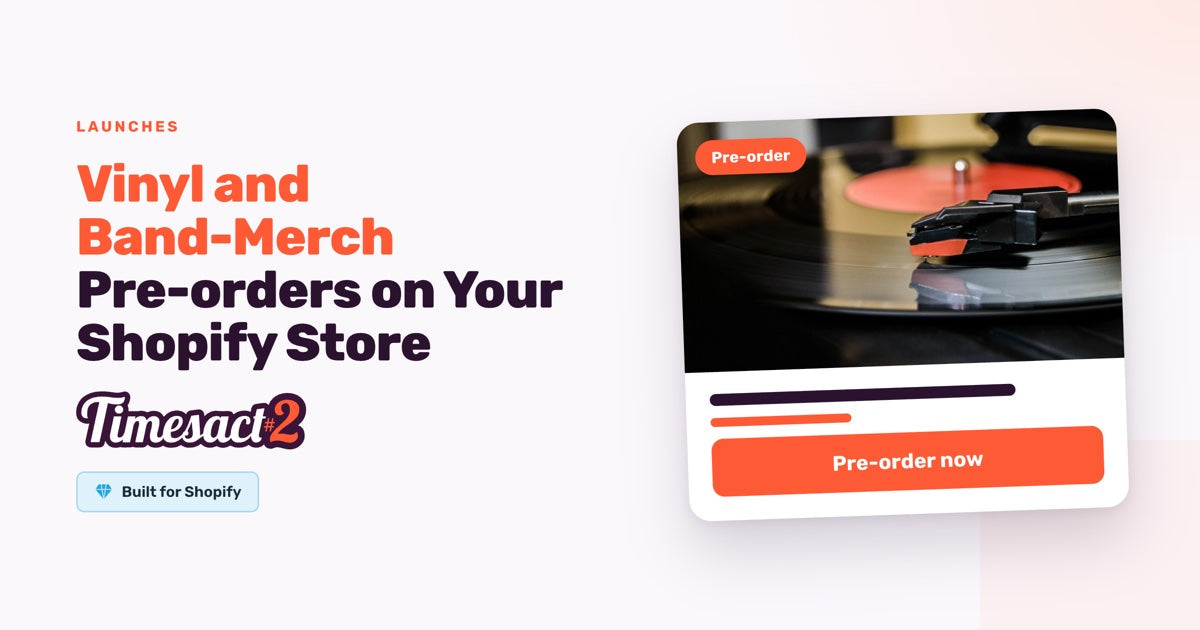
Between announce day and the day the records arrive, a vinyl release spends weeks at the pressing plant, and fans want to order the whole time. Taking vinyl pre-orders on your own Shopify store keeps them on the release's product page, with the date and the terms in one place. With Timesact, the shipping window, each edition's number and the box-set deposit are settings on the release, and fans see the timing on the product page and at checkout.
What ship date should a vinyl pre-order on Shopify show?
A window, not a single day. While the record is being cut and test-pressed, you rarely have a firm dispatch date. Pressing plants can quote longer turnarounds for colored and splatter vinyl than for black, and some advise not committing to a release date until test pressings are approved. Set the window up in your Pre-order template:
- In Functionality settings, set Shipping to A time range from checkout and enter the plant's window as Earliest and Latest, such as 10 to 14 weeks.
- In the product page message, use
{{shippingDate}}to show that window as dates for each shopper, or write it in words. - Write the timing into the Cart label in words too, such as "Pre-order vinyl: ships when the pressing arrives, est. February". Shopify shows the cart label under the item at checkout and on the order, and it shows text exactly as typed.
- Enable the Timesact V2 app embed on the theme you publish (Online Store > Themes > Customize > App embeds) and click Save.
With a time range, Shopify places the orders on hold, so they wait in Shopify until you release them for fulfillment when the records arrive.
Once test pressings are approved and the plant confirms a dispatch date, change Shipping to Exact date and pick it. Write the confirmed date into the cart label and the product page message too, so new orders carry it, and Shopify schedules their fulfillment for that date. Fans who ordered during the window keep the terms they ordered under; if the confirmed date falls later than the window you showed them, email them as described further down.
Fans get a pre-order confirmation with each pre-order item's cart label from Timesact's Confirmation email, so the timing is in writing. It starts as a Draft, so publish it under Notifications. If you send fan emails from Klaviyo, Timesact's pre-order event can trigger them there instead.
How do you limit each color, signed copy or test pressing?
Each edition works as a variant of the release, with its own Pre-order quantity. A pressing of 500 split into 300 black and 200 colored gets 300 on the black variant and 200 on the colored one. Signed copies and test pressings are variants too, each with its own small number. When a variant reaches its number, it stops taking pre-orders while the other editions keep selling.
To set it, open the variant from Products, switch Unlimited pre-order quantity off under Pre-order quantity settings, enter the number and click Save changes. The count is in copies, not orders: a fan who orders two uses two.
If editions ship on different dates, say black in November and the splatter in January, give each date a template of its own and assign each variant to the template with its date. The shipping date lives on the template, so variants that share one share a date.
Box sets and deposits
For a box set or another higher-priced edition, a deposit lets fans commit now and pay the rest later. In the template's Billing, choose Split payment, set the First charge as a percentage or a fixed amount, and choose When to charge the rest. On the PRO plan, When you fulfill the order takes the balance as the box ships.
The product page shows a short line under the payment options that starts as "Pay a deposit now, the rest when it ships." Edit it so it matches the option you chose.
An LP and a tee in the same cart
Fans may add an in-stock tee or tote to a vinyl pre-order. Timesact tags orders: Pre-order on every order that includes an item on pre-order, and Partial Pre-order as well when it also holds in-stock items, so your team can see which orders have merch to send now and plan split shipping for those mixed orders.
How do you tell fans the pressing is late?
When the plant moves your date, email the fans who already ordered: in Timesact, open Analytics > Pre-order > Sales, select the orders for that release, choose Send shipping delay email, enter the product title and the new date, and send. Then update the template's shipping setting and cart label so new orders see the new timing.
Before pre-orders open, and after the run sells out
On announce day, the product page can show a non-clickable Coming Soon button with a countdown to the day pre-orders open. Add Notify Me to the Coming Soon template, and fans who arrive early can leave their email instead of leaving the page. To switch over on the day, assign both templates to the release's variants under Products: give the Coming Soon template an end date of pre-order day and the Pre-order template a start date of the same day, in each one's Schedule on the variant page. The full sequence is covered in Coming Soon before a pre-order launch.
When an edition sells out, open its variant under Products, tick a Notify Me template of its own and click Save changes, and its sign-up gathers emails for a repress. Timesact emails those fans when the variant's stock reaches the Quantity threshold in that template's Notify Me settings (1 unit by default). If you'd rather pre-sell the repress itself, open it as the next production batch of the same release.
Line up the next record before you announce it
Bring the plant's quote for your next record to a setup call, and we'll set up the editions, the shipping window and the box-set deposit with you.
FAQs
How do I take vinyl pre-orders on my Shopify store?
Create a Pre-order template in Timesact, set Shipping to "A time range from checkout" with the pressing plant's window, write the timing in the cart label, and assign the template to the record's variants under Products. Then enable the Timesact V2 app embed on your published theme (Online Store > Themes > Customize > App embeds) and click Save.
How do I set expectations with fans on a vinyl or merch pre-order?
Show a window, not a single day, while the record is at the plant: set Shipping to "A time range from checkout" with the plant's estimate. Write the timing in words in the cart label, which Shopify shows under the item at checkout, and publish Timesact's Confirmation email so every fan has it in writing. If the plant runs late, send the Shipping delay email from Analytics, then Pre-order, then Sales.
Can I limit how many copies of each color variant are pre-ordered?
Give each color its own Pre-order quantity: a run of 300 black and 200 colored copies gets 300 on one variant and 200 on the other. When a variant reaches its number, it stops taking pre-orders while the other editions keep selling.
Can fans pay a deposit on a vinyl box set?
Yes. In the template's Billing, choose Split payment, set the first charge as a percentage or fixed amount, and choose when to charge the rest: on a date, a set time after checkout, or, on the PRO plan, when you fulfill the order.
How do I sell signed copies or test pressings as separate editions?
Add each one as a variant of the release with its own Pre-order quantity. When it reaches its number, that edition stops taking pre-orders while the others keep selling.
Run this in Timesact
Pre-order, back-in-stock, coming-soon and more — one app, no code.
Install the app →